The desktop workbench for projects that change over time.
Chronal Studio keeps your writing, the facts and events you approve, timelines, relationships, questions, and supporting sources connected inside one folder on your computer.
Local by default. The project stays in an ordinary folder you control.
One reviewed record. Every part of the app reads the same approved facts and events.
Evidence attached. You can open the source behind an answer.
Write, explore, and verify without leaving the project.
Studio groups its tools into three areas. They all read the same files, so a selected person, event, or source stays connected as you move between them.
01 / Write
Write normally. Add structure when it helps.
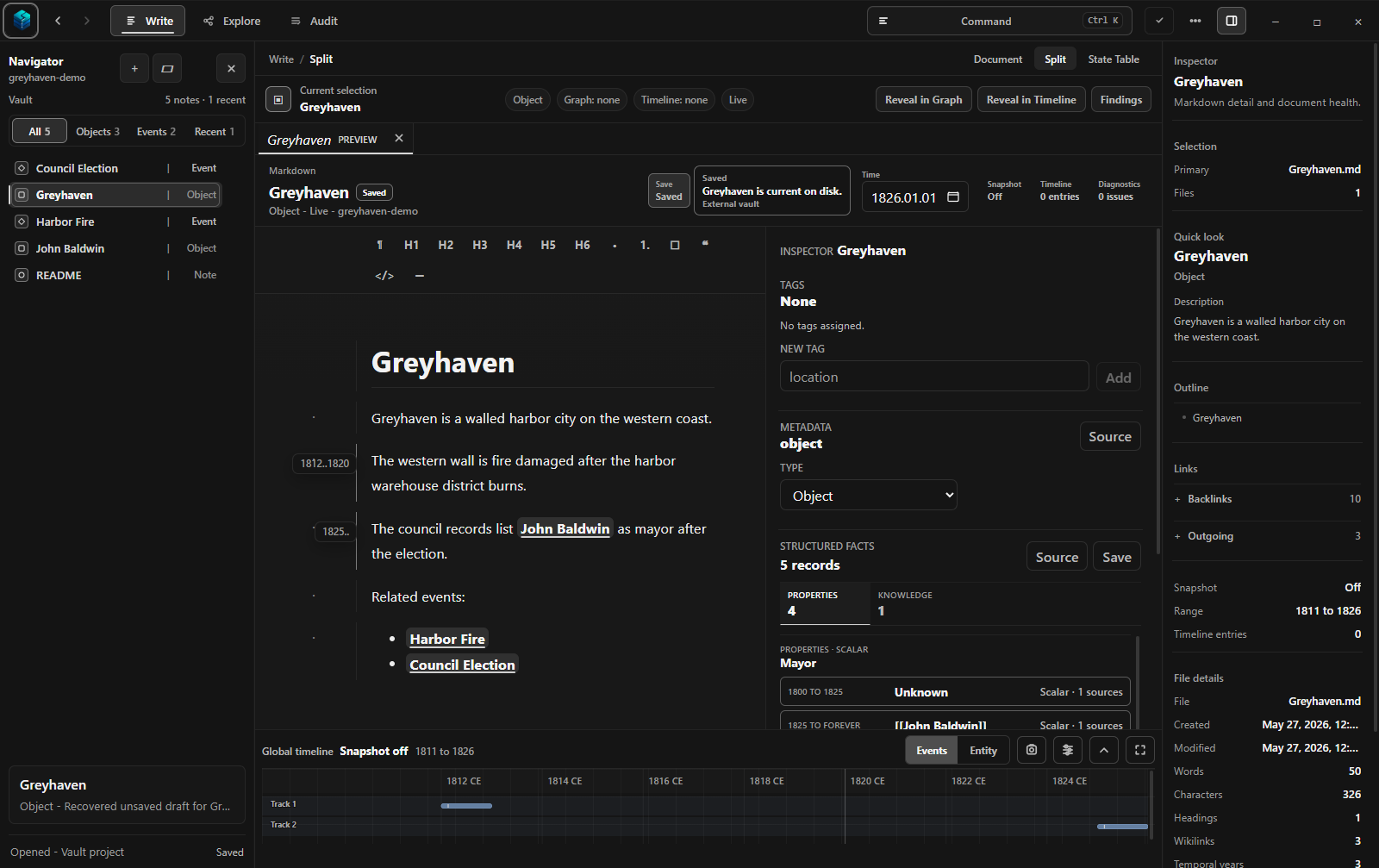
Write in Markdown, a readable plain-text format. When a detail needs to be tracked over time, add a fact, date, relationship, or cause-and-effect link beside the source.
Browse and edit the notes in your project
Review facts and events beside the writing
Approve or reject suggestions before they are saved
Timeline, relationship map, and cause-and-effect map
02 / Explore
See the same project from another angle.
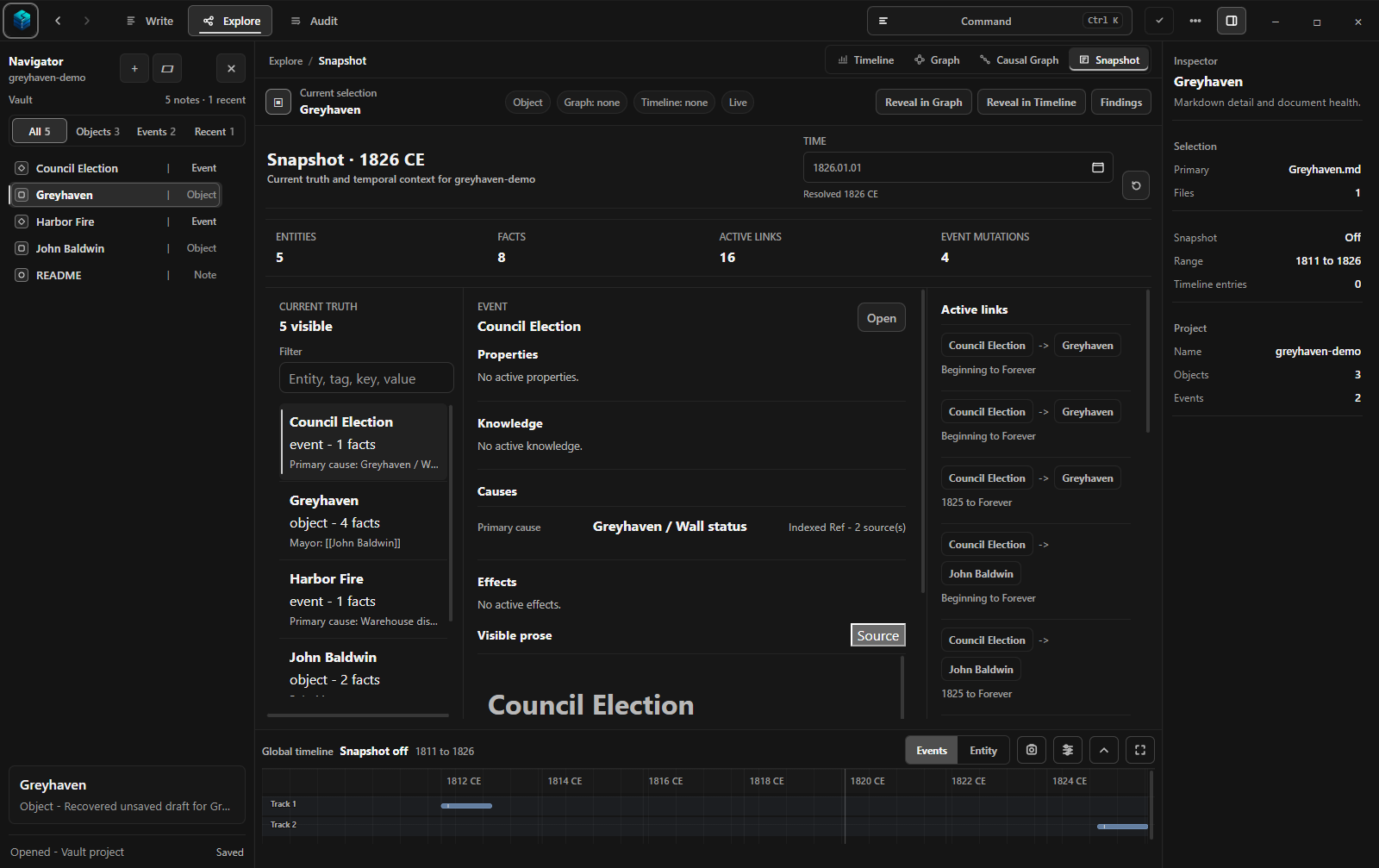
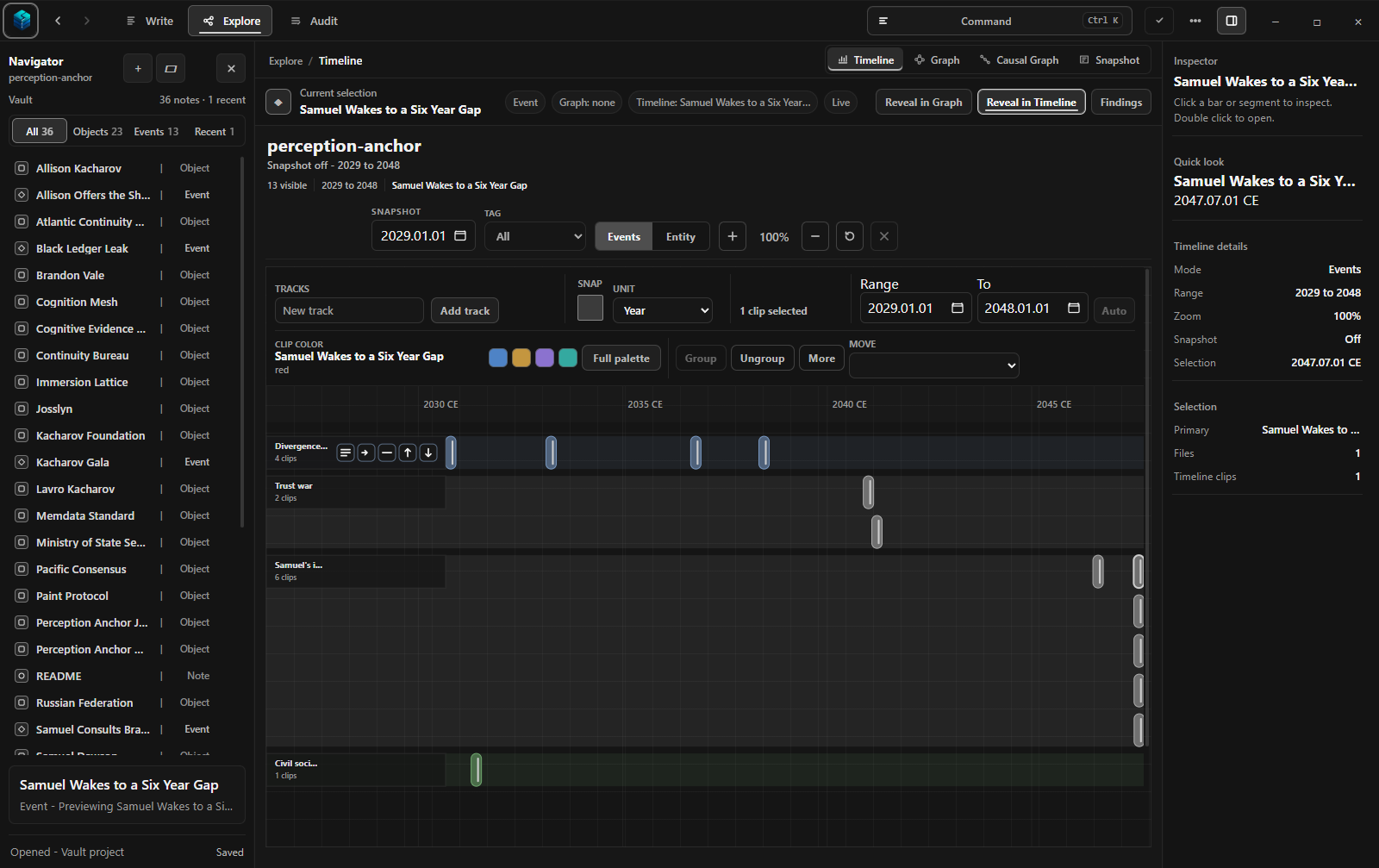
Read events in order, see the project at a chosen date, follow a network of relationships, or focus only on explicit cause-and-effect claims.
A timeline for sequence and overlap
A point-in-time view of what was true
Maps of relationships and cause and effect
03 / Verify
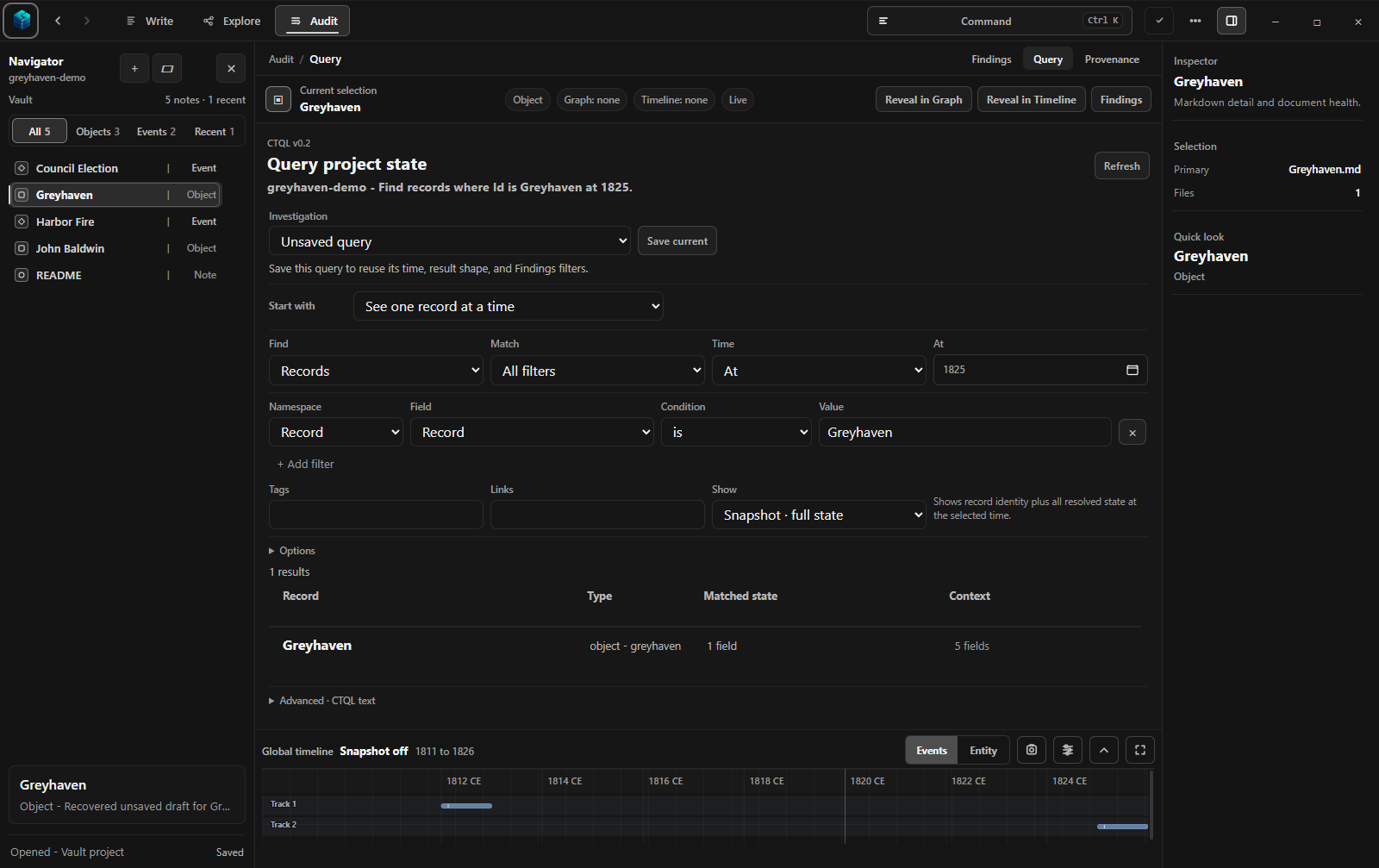
Ask a question. Check the answer.
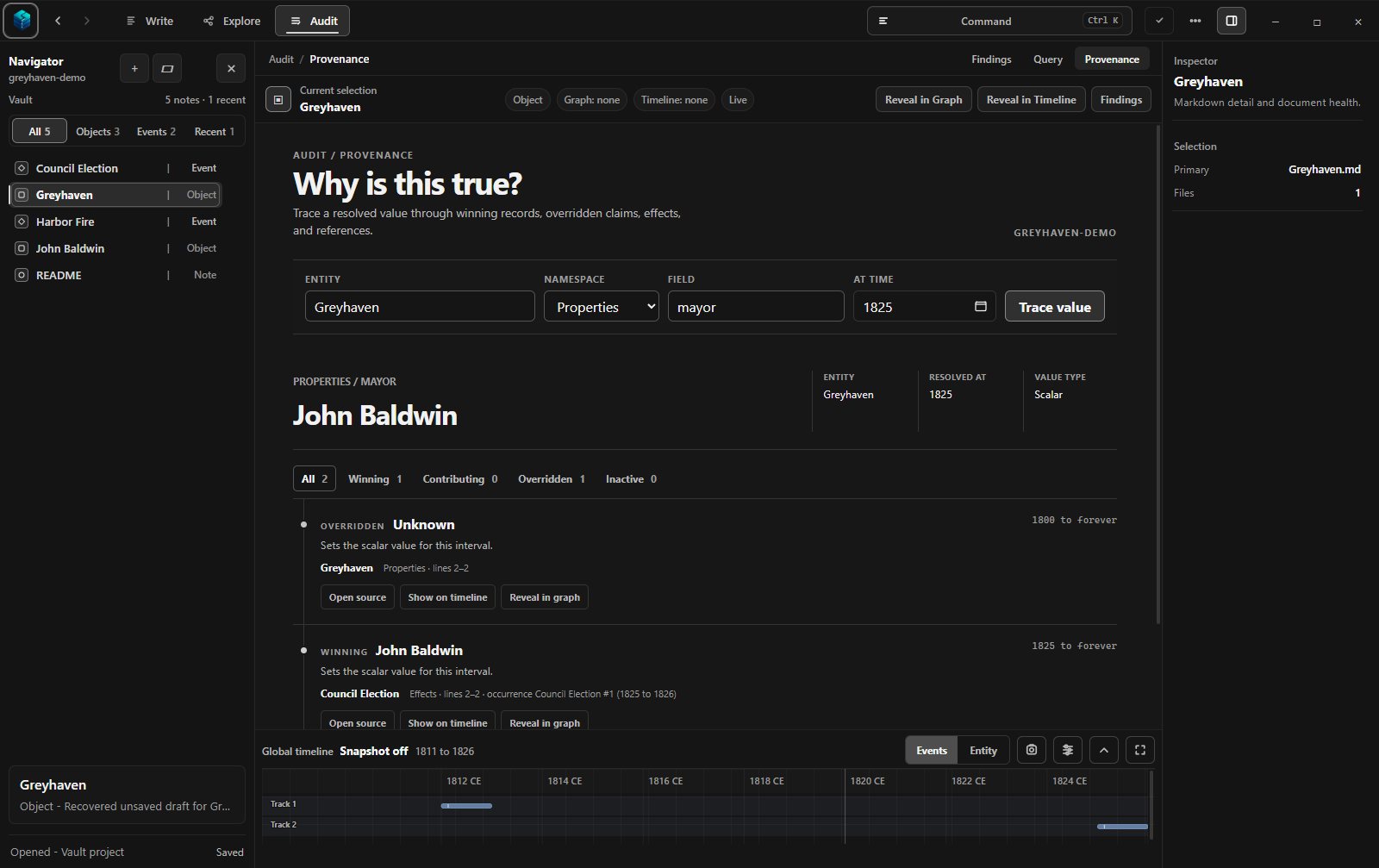
Use a guided question or a precise written query. Then open the source trace to see which record supports the answer, what it replaced, and when it applies.
The supporting source and the earlier record it replaced
Tools for understanding change—not just storing notes.
Chronal Studio connects what you wrote, what you approved as fact, what was true at a chosen time, and the source that supports the answer.
01
Readable project files
Write in Markdown, a simple plain-text format that works in many editors. Chronal stores approved facts and events in small JSON files beside your notes.
02
Timelines and point-in-time views
Read the sequence of events, then choose a date to see which facts and relationships were true at that moment.
03
Relationships and cause and effect
Follow general connections between people, places, documents, and events. View explicit cause-and-effect claims separately.
04
Questions you can save
Start with guided questions, write a more precise query when needed, and save useful investigations with the project.
05
Source tracing and project checks
See which source supports an answer, which earlier record it replaced, and which inconsistent or malformed records need attention.
06
Optional local AI
Let a model on your computer suggest facts or events, then review, edit, accept, or reject every proposal.
AI choices
Local AI—always local, always reviewable, always optional.
Chronal's built-in model runs on your computer and only creates suggestions. It does not silently rewrite your project.
Built-in local AI
Use it when you want help identifying possible facts, dates, or events in selected writing. Review every proposal before it joins the project record.
Your own agent
Optionally connect an outside agent through Model Context Protocol (MCP), a standard way for agents to call Chronal tools. The agent you choose may use a cloud service, so its privacy terms apply.
No AI at all
The complete writing, timeline, graph, question, and source-tracing workflow remains available without either option.
Chronal Engine is the time-aware logic that reads the project, calculates what was true, checks the data, and traces answers back to their sources. Studio and optional external tools use that same logic.